What’s Supported
Supported actions
This connector supports:- Read Actions, including full historic backfill. Please note that incremental read is supported only for
email_tracking,person_eventsandsmscurrently. For all other objects, a full read of the Loxo instance will be done per scheduled read. - Write Actions.
- Proxy Actions, using the base URL
https://{{.domain}}/api/{{.agency_slug}}.
Supported Objects
The Loxo connector supports writing and reading from the following objects:- activity_types (read)
- address_types (read)
- bonus_payment_types (read)
- bonus_types (read)
- companies (read, write)
- company_global_statuses (read)
- company_types (read)
- compensation_types (read)
- countries (read)
- currencies (read)
- deal_workflows (read)
- deals (read, write)
- disability_statuses (read)
- diversity_types (read)
- dynamic_fields (read)
- education_types (read)
- email_tracking (read)
- email_types (read)
- equity_types (read)
- ethnicities (read)
- fee_types (read)
- form_templates (read)
- forms (read, write)
- genders (read)
- job_categories (read)
- job_contact_types (read)
- job_owner_types (read)
- job_statuses (read)
- job_types (read)
- jobs (read, write)
- people (read, write)
- person_events (read, write)
- person_global_statuses (read)
- person_lists (read)
- person_share_field_types (read)
- person_types (read)
- phone_types (read)
- placements (read, write)
- pronouns (read)
- question_types (read)
- schedule_items (read)
- scorecards (read, write)
- scorecards/scorecard_recommendation_types (read)
- scorecards/scorecard_types (read)
- scorecards/scorecard_templates (read, write)
- scorecards/scorecard_visibility_types (read)
- seniority_levels (read)
- sms (read, write)
- social_profile_types (read)
- source_types (read, write)
- users (read)
- veteran_statuses (read)
- workflow_stages (read)
- workflows (read)
Example integration
For an example manifest file of a Loxo integration, visit our samples repo on Github.Using the connector
This connector uses API Key authentication, so you do not need to configure a Provider App before getting started. (Provider Apps are only required for providers using the OAuth2 Authorization Code grant type.)Note:
- To get the domain, log in to your Loxo account and check the URL in your browser’s address bar. It usually follows this pattern:
https://[your-domain-here].- To get the agency_slug, go to Settings > General under Workspace. In the Agency Info section, look at the Resume Forwarding Address — the part before the @ symbol is the agency_slug value.
- Create a manifest file similar to the example above.
- Deploy it using the amp CLI.
- Embed the InstallIntegration UI component, which will prompt the customer for an API key.
- Start using the connector!
- If your integration has Read Actions, you’ll start getting webhook messages.
- If your integration has Write Actions, you can start making API calls to our Write API.
- If your integration has Proxy Actions, you can start making Proxy API calls.
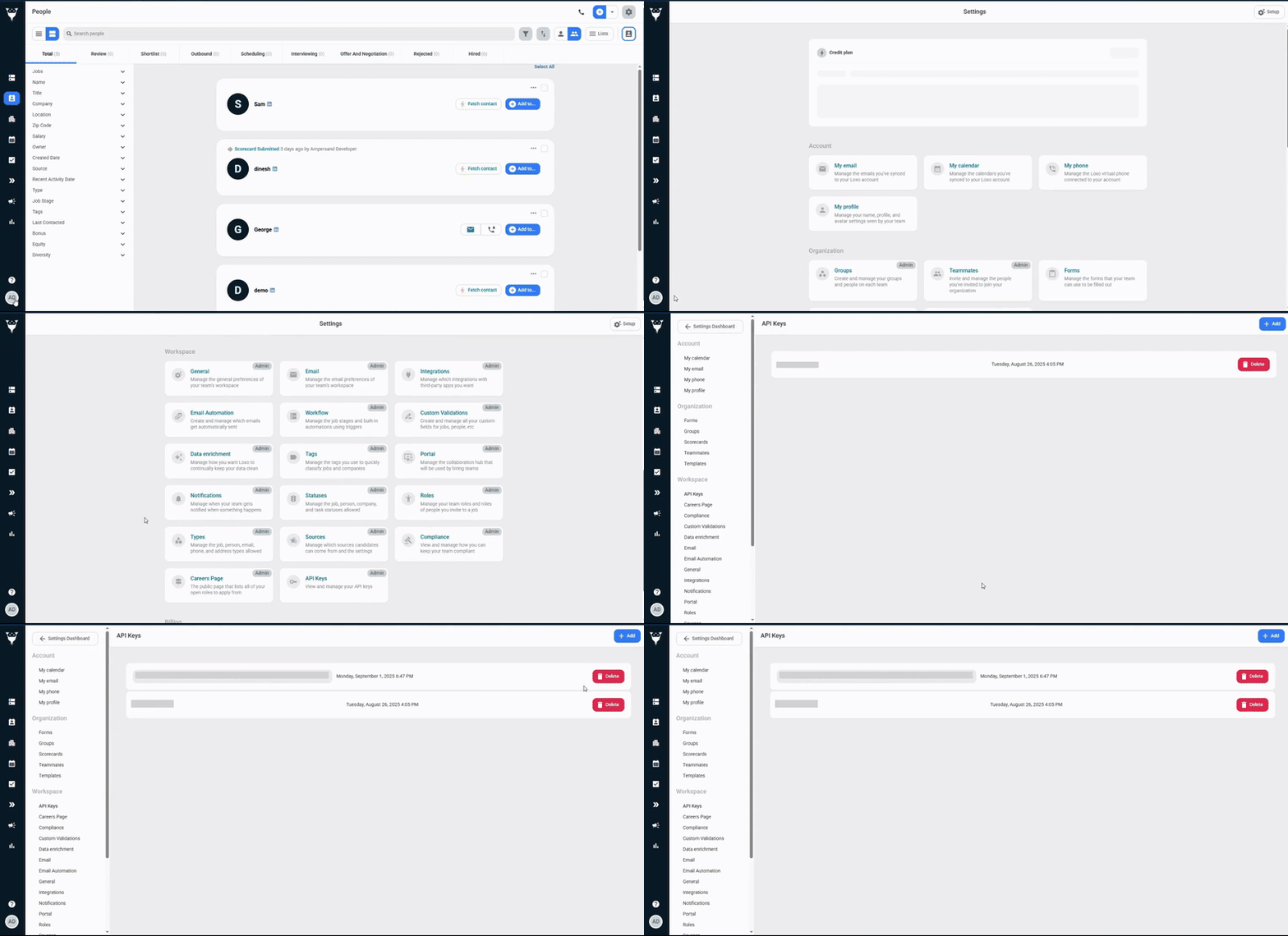
Creating an API key for Loxo
- Log in to your Loxo account.
- Navigate to settings and click API Keys under Workspace.
- Click Add Button.